Best free literacy apps for adult learning to read
Discover five free apps to support adult learning to read, with practical steps, reviews, and daily routines.
Anúncios
Top 5 free literacy apps (with download steps)
Here are the 5 best free options to support adult learning to read, with a practical focus on reading, phonics, vocabulary, and everyday comprehension.
Anúncios
Some have optional paid upgrades, but you can still start with free lessons and build momentum first.
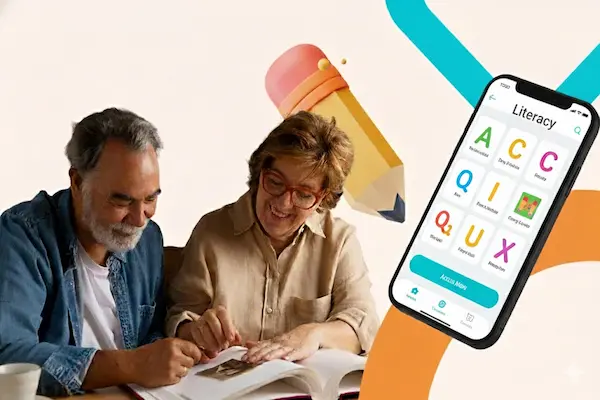
1) USA Learns (mobile-friendly free courses)
USA Learns is one of the most trusted free online options in the U.S.
It’s structured like an “online reading class” and helps you practice reading, listening, speaking, and basic writing with real-life situations like work, health, and daily errands.
Real-world reviews (what learners tend to mention)
People often like that the lessons feel adult, practical, and organized instead of childish.
Many also appreciate that the core website courses are free and designed for independent study.
Key features you’ll actually use
- Video-based lessons that model real conversations and reading tasks.
- Reading practice paired with vocabulary and listening activities.
- Pronunciation practice and extra support content for speaking clarity.
Step-by-step to start (fast)
- Open the official USA Learns website on your phone.
- Create a free account and choose a beginner course.
- Do one lesson per day and repeat the reading activity twice.
- Save new words and review them before your next lesson.
Download: Android
Important note about older USA Learns apps
USA Learns previously had “1st English Course” apps that were retired due to Flash technology changes, while the main website continued and was rebuilt for better phone access.
2) Learning Upgrade (songs, games, and 1,000+ lessons)
If you learn best with rhythm, repetition, and quick wins, Learning Upgrade is a strong pick.
It uses songs, videos, and game-like activities, and the developer states it includes more than 1,000 lessons.
Real-world reviews (the honest pattern)
On Google Play, you’ll see learners praising it for being motivating and helpful for test prep, including adults working toward GED-style goals.
You’ll also see some users warning that certain content may require membership, so it’s smart to treat the free version as your “trial runway” and decide later.
Key features you’ll actually use
- Placement test so you don’t start too easy or too hard.
- Phonics and reading skill practice through music and repetition.
- Short lessons that feel lighter than traditional study sessions.
Step-by-step to download and start
- Install the app from your store.
- Create an account and take the placement test.
- Pick one skill track and complete one lesson daily.
- Replay the same lesson once to reinforce the letter-sound patterns.
3) Cell-Ed (3-minute micro-lessons + coaching)
Cell-Ed is built for busy adults who need progress in tiny, repeatable steps.
It emphasizes quick lessons and highlights support options like coaching and feedback, which can be a big confidence boost when you’re learning alone.
Real-world reviews (what you should know)
On the App Store, you’ll find a mix of positive notes and some complaints about bugs or limited class availability at times.
The key takeaway is simple: use it for bite-sized practice, and don’t rely on it as your only tool if you want a smoother experience.
Key features you’ll actually use
- Quick 3-minute lessons that fit into breaks and commutes.
- Certificates and progress tracking that make progress feel real.
- Feedback and support options for learners who want guidance.
Step-by-step to download and start
- Install the app and create your profile.
- Choose one reading or language-related course to start.
- Do two micro-lessons per day for the first week.
- Write down 5 new words daily, then read them out loud at night.
4) News-O-Matic (daily nonfiction reading practice)
If you’re tired of fake stories and want real reading practice, News-O-Matic is a clever bridge.
It’s designed for younger audiences, but the concept is powerful for adults too: nonfiction reading, current events, and adjustable levels so you can read the same topic at a simpler level first.
Real-world reviews (what people highlight)
Reviewers often mention daily articles, the option to have text read aloud, and the fact that it’s ad-free with subscription options.
That matters because distraction is the enemy when you’re building reading stamina.
Key features you’ll actually use
- Frequent new articles for consistent practice.
- Read-to-me audio so you can match sound to text.
- Nonfiction topics like science, sports, world news, and technology.
Step-by-step to download and start
- Install the app and open one article.
- Listen once with read-aloud, following the words with your eyes.
- Read the same article again without audio.
- Write a 2-sentence summary to train comprehension.
Download: iOS
5) Khan Academy (free ELA practice + structured skill building)
Khan Academy is a safe “always free” foundation when your goal is adult learning to read with structure.
It offers learning paths that include grammar and reading skills, and Khan Academy states its apps are 100% free with no subscriptions or in-app purchases.
Real-world reviews (what consistently shows up)
Khan Academy is widely used by adults returning to learning, and the Google Play listing explicitly mentions adults coming back to the classroom after many years.
On iOS, it holds a large volume of ratings, which usually signals stable adoption and ongoing support.
Key features you’ll actually use
- Personalized practice that adapts based on your mistakes.
- Short videos + exercises that explain “why,” not just “what.”
- Progress tracking that keeps you consistent.
Step-by-step to download and start
- Install the app and create your profile.
- Search for English Language Arts or grammar basics.
- Pick one unit and do 15 minutes per day.
- Repeat missed questions until you get 3 correct in a row.
Adult learning to read faster: the 15-minute routine that actually works
If you do only one thing, do this:
Use a simple daily loop that trains decoding, vocabulary, and comprehension without frying your brain.
Here’s a routine you can stick to even on hard days.
- 5 minutes: listen while following the text with your eyes.
- 5 minutes: read the same text out loud slowly, focusing on accuracy.
- 5 minutes: write 3 new words and use each in one sentence.
That’s it.
Consistency beats intensity when you’re rebuilding a skill you should have been taught better the first time.
How to choose the right app for adult learning to read
The best app is the one that matches your biggest friction point.
So pick based on your reality, not on what looks “impressive” in an app store.
- If you need structure: go with Khan Academy or USA Learns.
- If you need motivation: try Learning Upgrade’s music-based lessons.
- If you need tiny lessons: use Cell-Ed micro-learning.
- If you need real-world reading stamina: practice nonfiction with News-O-Matic.
And if you’ve ever been tempted to download something like a “Psychic App,” a “Mind Reading App,” or a “Psychic Text App,” treat that as a signal.
You don’t need magic.
You need a plan you can repeat.
When you need more than an app: free tutoring and local support
Sometimes the fastest way forward is one human being who won’t let you quit.
If you keep starting and stopping, add community support to your app routine.
- Literacy Volunteers programs can offer local guidance and accountability.
- Reading tutoring programs near me searches can reveal library-based or nonprofit options.
- Sylvan Reading or Kumon Tutoring Near Me can be options if you want paid structure later.
- Best reading tutoring program varies by city, so compare instructors, scheduling, and reading approach.
If you prefer a fully remote option, look for online reading programs for struggling readers and compare trial lessons before committing.
That one small step can save you time, money, and frustration.
Using “school tools” as an adult: Google Classroom, Blackboard, and LMS apps
You can absolutely use education platforms as an adult learner.
If you’re taking a community course or joining a program, you may run into tools like Google Classroom LMS, LMS Google Classroom, or an LMS App used for assignments and reading practice.
Depending on the program, you might also see platforms like Blackboard App, App Schoology, TalentLMS App, or Litmos App for course modules and quizzes.
These systems can feel intimidating at first, but they’re basically organized folders with lessons, due dates, and practice activities.
Simple tip that removes 80% of the confusion:
Open your course, find “Week 1,” and only do what’s inside that folder.
You don’t need to explore everything to succeed.
Start today without overthinking
If you’re serious about adult learning to read, your next step should be simple.
Pick one app, do one lesson, and repeat tomorrow.
- Choose one app from the top 5 list.
- Set a daily time for 15 minutes.
- Track progress with a simple calendar checkmark.
- Add a support layer if you keep stopping, like a class, coach, or Literacy Volunteers option.
You’re not behind.
You’re building a skill that can change your work, your confidence, and your independence.
And you can build it one readable sentence at a time.