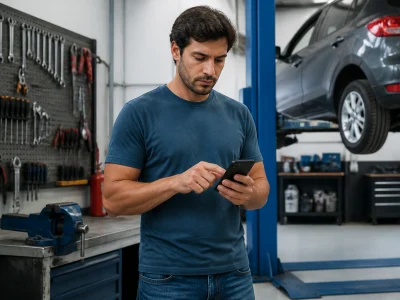
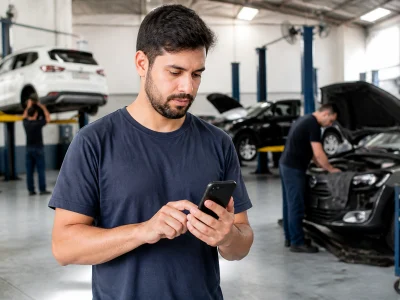
An OBD2 app reads diagnostic trouble codes, but cannot repair your car.
Availability and features change by developer, state, and season. Knowing these changes can make a significant difference in how you choose and use an OBD2 scanner app. For instance, some apps might offer seasonal discounts or introduce new features during certain times of the year, which can be a great opportunity to explore enhanced functionalities without additional costs.
Use this checklist to compare options before visiting official sources. Ensure you have the latest information on app updates, as developers frequently release patches that improve app performance and compatibility with newer vehicle models. Keeping the app updated ensures you receive the most accurate diagnostics possible.
In this article
- Best OBD2 scanner apps: quick comparison and who each option fits
- What changes when you know the code before the shop visit
- Adapter costs, compatibility and limits to check
- How to compare OBD2 apps step by step
- Common mistakes and safety checks
- Frequently asked questions about best obd2 scanner apps
- Choose your next step with confidence
- Enhancing vehicle performance with OBD2 apps
Best OBD2 scanner apps: quick comparison and who each option fits
Comparing OBD2 scanner apps involves looking at adapter type, code coverage, live data functionality, and price. For drivers like Alex, who work on the road, the best OBD2 scanner apps offer a seamless integration with Bluetooth or WiFi adapters, extensive code databases, real-time data streaming, and transparent pricing with no hidden fees. For example, OBD Fusion offers a comprehensive database that covers a wide range of vehicles, making it ideal for professional drivers who need reliable diagnostics on the go. Its price of $9.99 is a one-time fee, providing excellent value for those who frequently work with different car models.
| App Name | Adapter Type | Code Coverage | Live Data | Price |
|---|---|---|---|---|
| OBD Fusion | Bluetooth/WiFi | Extensive | Yes | $9.99 |
| Torque Pro | Bluetooth | Wide | Yes | $4.95 |
| Car Scanner ELM OBD2 | Bluetooth/WiFi | Comprehensive | Yes | Free/Premium |
Check the official repair guidance
What changes when you know the code before the shop visit
Knowing the diagnostic code before visiting a shop can save time and money by helping you understand the potential issues with your vehicle. However, it’s important to remember that clearing a code does not fix the underlying problem. Apps like Torque Pro and OBD Fusion allow you to read and clear codes, but only a professional scan tool can provide the full picture needed for accurate repairs. For instance, if your app shows a P0300 code, indicating random/multiple cylinder misfires, this could mean several things like a faulty spark plug or a more serious issue such as a failing catalytic converter. By knowing the code beforehand, you can have an informed discussion with your mechanic about possible solutions, potentially saving hundreds in diagnostic fees.
Quick Tip: Always ask for a written estimate and understand what it includes before authorizing repairs. More on mechanic apps here.
Adapter costs, compatibility and limits to check
When selecting an OBD2 scanner app, verify the adapter compatibility with your car model and smartphone. Most vehicles from 1996 onward support OBD2, but adapter compatibility can vary, especially between Android and iOS devices. Subscription tiers often determine the range of diagnostics available, and while apps can read and clear codes, some repairs still require professional tools. For example, some advanced diagnostics like ABS or SRS checks might need higher-tier subscriptions, which can range from $20 to $50 annually. This investment can be worthwhile if you frequently troubleshoot different vehicle systems.
⚠️ Caution: Not all adapters work with every app or vehicle. Always check compatibility first.
How to compare OBD2 apps step by step
1Confirm your vehicle has the standard port
Locate the OBD2 port under the dashboard. This port is typically found beneath the steering column, though the exact location can vary by make and model. If you are unsure, consult your vehicle’s manual for guidance.
2Check adapter compatibility with your phone
Ensure your adapter works with your smartphone’s OS. Most adapters support both iOS and Android, but it’s worth verifying to avoid connectivity issues. Consider updating your phone’s OS to the latest version to improve compatibility.
3Open the official store listing
Download the app from the official Apple App Store or Google Play. Look for apps with high ratings and numerous reviews from other users, as these are indicators of reliability and functionality.
4Read the code coverage for your brand
Check if the app supports your car’s make and model. Some apps offer specific packages for different brands, which can be purchased as in-app upgrades. This ensures you have access to all necessary diagnostics for your vehicle.
5Test a live data session
Run a live data stream to verify functionality. This step is crucial to ensure that real-time data transmission is stable and accurate. Monitor parameters like engine RPM, fuel consumption, and temperature for any anomalies.
6Save the diagnosis before visiting a shop
Record the findings to discuss with a mechanic. Having a saved report allows you to communicate effectively with repair professionals, potentially expediting the repair process and avoiding unnecessary charges.
Common mistakes and safety checks
Verify the identity of the app developer and use only the official domain for downloads to avoid potential security risks. It’s crucial to understand current terms and customer support availability. Many users overlook the importance of checking the developer’s update history, which can indicate how actively the app is maintained. Apps with frequent updates are generally more secure and reliable. Learn more about secure app practices.
⚠️ Risk Alert: Avoid third-party sites offering app downloads, as they may not be secure. These sites often host outdated versions of apps that lack the latest security features.
Tip: Always read reviews and check ratings from verified sources before downloading. Customer feedback can provide insights into potential issues and overall app performance. Read more on our mechanic guide.
Frequently asked questions about best obd2 scanner apps
Choose your next step with confidence
Restate your checklist: confirm adapter compatibility, read code coverage, and verify the app’s official source. By following these steps, you can confidently choose the best OBD2 scanner app for your needs. Before making a final decision, review our full mechanics manual for additional insights. This manual provides a comprehensive overview of various car maintenance aspects, making it a valuable resource for both novices and experienced car owners. Check the official repair guidance
ℹ️ Important: This content is independent and not affiliated with the companies mentioned. Always verify official terms and conditions with the respective developers. This ensures that you are using the apps within the intended legal framework, safeguarding your personal data and vehicle information.
Enhancing vehicle performance with OBD2 apps
Beyond basic diagnostics, OBD2 apps offer features that can enhance your vehicle’s performance and efficiency. By monitoring real-time data, such as fuel consumption and engine load, these apps allow drivers to adjust their driving habits for better fuel efficiency. For instance, keeping track of fuel efficiency can help you identify patterns of excessive fuel use during certain driving conditions, enabling you to make informed changes to save money. Additionally, OBD2 apps can provide insights into engine performance by analyzing data like air-fuel ratio and ignition timing, helping in fine-tuning engine settings for optimal performance. These insights are not only beneficial for personal vehicles but also for fleet management, where efficiency and performance are crucial for cost savings. Advanced apps even offer predictive maintenance alerts, notifying users of potential issues before they become serious problems, thus reducing downtime and preventing costly repairs.