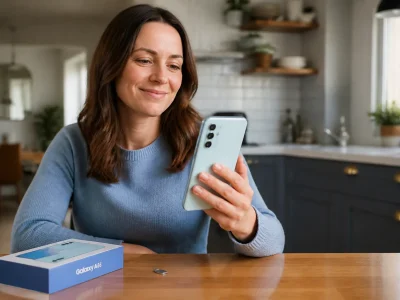
You can use a Samsung Galaxy S24 through Lifeline, but the program will not buy the phone for you.
Lifeline takes up to $9.25 a month off your phone or internet bill, and that is all it covers.
To end up with an S24, you either find a provider that offers it in your area, or you buy an unlocked one yourself and add the provider’s SIM or eSIM.
Both routes start the same way: you must be approved for Lifeline first.
The short answer
Lifeline is a service discount. It lowers your monthly bill for phone or internet service, and only one benefit is allowed per household.
A phone, when you get one, is a promotion from the provider. It is not part of the federal benefit.
So the question is not “will Lifeline give me an S24?” The real question is “which route gets an S24 into my hands while I keep the discount?”
There are two routes. The first is a Lifeline provider that lists the Galaxy S24 as a discounted upgrade or a refurbished unit. The second is to bring your own S24 and pair it with a Lifeline plan.
Both are explained below, with a step-by-step list you can follow from approval to a working phone.
Why the Galaxy S24 is a smart Lifeline target in 2026
Samsung released the Galaxy S24 series in early 2024. The company promised seven years of Android OS and security updates for it, so this phone still has years of support left.
Samsung has since released the Galaxy S25 in 2025, and the Galaxy S26 has been on sale since March 2026. That makes the S24 two generations old.
This is the point where flagships often show up as refurbished or discounted units. Older flagships tend to be easier to find at lower cost than the newest model.
There is another practical advantage. US Galaxy S24 models accept both a physical nano-SIM and an eSIM.
That makes switching providers easier than with phones that only support eSIM. You can move a SIM card from one phone to another in a minute.
What Lifeline does and does not cover
Lifeline gives you up to $9.25 a month off your service bill. On qualifying Tribal lands, the discount can reach $34.25 a month.
The discount applies to one household at a time. Two people in the same home cannot each get their own benefit.
The benefit applies to service, not to hardware. It does not pay for a phone, a case, a screen repair or a replacement.
If you want a deeper look at how the program works, read how to apply for the Lifeline program step by step.
Any phone that comes with your service is a separate offer from the provider. Its terms can change from one company to the next.
Route 1: a Lifeline provider that offers the Galaxy S24
Some Lifeline providers keep a device catalog. Phones in these catalogs change often, and they vary by provider, state and ZIP code.
Start by checking the catalog or the “phones” page on each provider’s website. Look for the Galaxy S24, S24+ or S24 FE by name.
When you find one, read the offer closely before you accept. Typical conditions include:
- An upgrade fee or a one-time device payment
- A refurbished grade instead of a brand-new phone
- A network lock period, during which the phone works only with that provider
- Limited stock, so the phone may sell out
Read the final offer screen from top to bottom. That screen should show the total amount you will pay today and each month afterward.
If a catalog does not list the S24 at all, that is normal. Many providers only carry basic or midrange models.
For another example of this route with a different phone, see how to get a Samsung Galaxy S25 Plus through Lifeline.
Why the Galaxy S24 is a smart pick for Lifeline
- Lifeline takes up to $9.25 a month off your service bill (up to $34.25 on qualifying Tribal lands), so a good phone costs less to keep connected.
- Samsung promised seven years of Android and security updates for the S24 series, so a 2024 phone is still supported for years.
- The S24 is now two generations old (the S25 and S26 came after it), which is when refurbished and discounted units start to show up.
- US Galaxy S24 models take both a physical nano-SIM and an eSIM, so switching Lifeline providers is easier than with an eSIM-only phone.
- You have two routes: a provider offer, or your own unlocked S24. If one is not available in your area, the other still works.
Route 2: bring your own Galaxy S24
If no provider near you offers the S24, you can buy one yourself and pair it with a Lifeline plan. This is often the more reliable path.
You can buy an unlocked S24 new, refurbished or used from a seller you trust. Before you pay, check four things:
- Unlocked status. The phone must not be tied to one carrier.
- Clean IMEI. The phone must not be reported lost, stolen or blacklisted.
- Network compatibility. The phone must work on the network your Lifeline provider uses, such as T-Mobile or Verizon.
- Carrier locks. A phone locked to another company may not accept a new SIM at all.
Once you have the phone, order the provider’s SIM card or eSIM. Most providers ship SIM cards to your address, and eSIM setup is done on the phone itself.
Your S24 takes either one, so pick whichever the provider offers first.
Step-by-step: from eligibility to a working Galaxy S24
Confirm you are eligible
Income or program test
Your household income must be at or below 135% of the 2026 Federal Poverty Guidelines. That is $21,546 for one person, $29,214 for two and $44,550 for four. You also qualify through Medicaid, SNAP, SSI, Federal Public Housing Assistance, the Veterans and Survivors Pension Benefit or qualifying Tribal programs.
Apply for Lifeline
National Verifier or provider
Apply through the National Verifier at LifelineSupport.org, or apply directly with a provider.
Find providers in your ZIP code
Companies Near Me tool
Use the Companies Near Me tool on LifelineSupport.org to see which providers serve your address.
Choose your route
Provider offer or your own phone
Pick Route 1 if a provider lists the S24 at a fair total cost. Pick Route 2 if you would rather buy an unlocked S24 yourself.
Check the phone’s IMEI
Before you order service
Enter your S24’s IMEI (its serial number for networks) in the provider’s compatibility checker.
Activate the SIM or eSIM
Keep your number
Follow the provider’s activation steps and ask to transfer your current number if you want to keep it.
Use the service every 30 days
Keep your benefit active
A free Lifeline plan is cancelled after 30 days without use, following a 15-day notice. Make a call, send a text or use data at least once a month.
If you get stuck at any point, the Lifeline Support Center can help at (800) 234-9473. You can also read our guide to contacting Lifeline Support.
Galaxy S24, S24+ and S24 FE: which one to look for
The S24 family has three models. Each suits a different kind of user, and all three work with the routes above.
| Model | Released | Who it suits |
|---|---|---|
| Galaxy S24 | Early 2024 | Compact flagship |
| Galaxy S24+ | Early 2024 | Bigger screen and battery |
| Galaxy S24 FE | Fall 2024 | Lower-cost version, the most likely to be discounted |
If you are open to any of the three, the S24 FE is the one most likely to show up at a lower cost.
Mistakes to avoid
A few small errors cost people time and money when they chase a flagship through Lifeline.
⚠️ Watch out for these:
- Buying an S24 locked to another carrier that will not accept your provider’s SIM
- Paying a monthly fee for the basic Lifeline plan, which is normally free
- Sharing personal data through links in unsolicited texts or emails
- Trying to enroll two people in the same household
When an offer sounds too good to be true, go back to the provider’s own website and check it there.
Dúvidas Frequentes
No. Lifeline is a service discount only, up to $9.25 a month, and it does not pay for any phone. Some providers sell the S24 as a discounted upgrade or a refurbished unit, but the price, the stock and the area vary by provider and ZIP code.
Yes, if the phone is unlocked and its IMEI is clean (not blacklisted). Check the IMEI on the provider's compatibility checker, then order the provider's SIM card or eSIM and transfer your number.
It may not. A phone locked to one carrier can be refused by another network. Ask for an unlock first, or check that the Lifeline provider runs on the same network as the carrier that locked the phone.
No. Lifeline only discounts your monthly service, one benefit per household. A cracked screen or a lost phone is your cost, unless your provider or a phone protection plan covers it.
Samsung has sold the Galaxy S26 since March 2026, but it is a new flagship, so it is unlikely to show up in Lifeline offers soon. The S24 is the one more likely to appear as a refurbished or discounted unit. Call the Lifeline Support Center at (800) 234-9473 to confirm what is offered in your area.
Frequently asked questions
Is the Galaxy S24 free through Lifeline?
Not as part of the federal benefit. Lifeline only discounts your service. Any phone offer comes from the provider and can carry fees or conditions.
Can I use my current Galaxy S24 with Lifeline?
Yes, if the phone is unlocked, has a clean IMEI and works on your provider’s network. Check it in the provider’s compatibility checker first.
Will a Galaxy S24 from Verizon or T-Mobile work with a Lifeline provider?
It may, but only if it is unlocked. A phone still locked to its original carrier may refuse a new SIM. Ask the original carrier to unlock it before you switch.
Does Lifeline pay for a phone repair or replacement?
No. The benefit covers service only, so repairs and replacements are your responsibility unless the provider has its own device program.
Is the Galaxy S26 available through Lifeline?
The S26 has been on sale since March 2026, but newer flagships are less likely to appear in Lifeline offers. Older models like the S24 are easier to find at lower cost.
ℹ️ Important: This site is independent and is not affiliated with the FCC, USAC, any carrier, Apple, Samsung or Google. Confirm all details with your provider or at LifelineSupport.org before you apply.
| SEO settings | |
| Focus keyphrase | Samsung Galaxy S24 Lifeline |
| SEO title | How to Get a Samsung Galaxy S24 Through Lifeline |
| Slug | samsung-galaxy-s24-lifeline |
| Meta description | Want a Galaxy S24 with Lifeline service? Learn the routes that work in 2026, from provider upgrade offers to bringing your own phone, plus what to check first. |