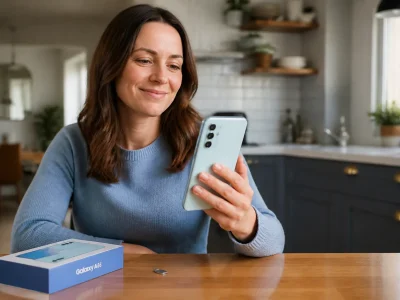
Can you get an iPhone 17 through Lifeline? What is actually possible
You can possibly get an iPhone 17 with Lifeline service, but it is not a guaranteed free phone.
Lifeline pays for phone or internet service, not for the device. Any iPhone comes from a provider deal or from your own purchase.
Below you will see the real routes, the costs to expect and how to avoid scams.
The short answer
Lifeline is a federal discount of up to $9.25 a month on phone or internet service. On qualifying Tribal lands, the discount can reach $34.25 a month. It does not pay for a phone, an iPhone or anything else you hold in your hand.
So when you see an ad for a “free iPhone 17,” it is not coming from the government. A phone company may choose to offer certain phones to Lifeline customers, but that is a marketing choice. These offers are limited by stock and by your ZIP code.
There are three realistic routes. You can take a provider promotion that lists the iPhone 17. You can take the phone the provider includes now and upgrade later. Or you can buy your own iPhone 17 and use it with a Lifeline plan. We cover each one below.
What Lifeline pays for, and what it does not
Lifeline gives you a monthly discount on service. That means calls, texts and mobile data. Nothing in the program covers the cost of a handset.
Only one Lifeline benefit is allowed per household. A household means everyone at the same address who shares income and expenses. Two people in the same home cannot each claim a separate benefit.
Lifeline providers must also meet a minimum mobile data standard. The FCC kept that standard at 4.5 GB per month through December 1, 2027. Your plan should include at least that much data.
Any phone a provider sends you is that company’s choice. The government does not buy it, ship it or guarantee it. If a company stops the offer tomorrow, you have no right to the phone.
If you want the full basics of the program first, read our guide on how the Lifeline program works and who qualifies.
Where the iPhone 17 sits in Apple’s lineup right now
The iPhone 17 family launched in September 2025. It included the iPhone 17, the iPhone Air, the iPhone 17 Pro and the iPhone 17 Pro Max. Apple then added the lower-cost iPhone 17e on March 11, 2026.
On September 9, 2026, Apple announced the iPhone 18 Pro and iPhone 18 Pro Max. At that point Apple stopped selling the 17 Pro models. The standard iPhone 18 is expected in spring 2027.
That means the standard iPhone 17 is still Apple’s current regular model. This is exactly why it is rarely given away free. Companies do not hand out their newest phones at zero cost.
Older iPhones show up in giveaway offers much more often. Newer ones usually come with a fee or a higher price.
How iPhone offers from Lifeline providers really work
Each provider decides which phones to stock. There is no national list of iPhones that Lifeline customers can claim. What you see depends on the company, your ZIP code and what is in the warehouse that week.
Many iPhones in these catalogs are older models or certified refurbished units. A newer model, when it appears, usually comes as a discounted upgrade with a one-time fee instead of a price of $0.
Before you agree to anything, read the final offer screen carefully. The headline may say “free,” while the checkout shows a fee. Look at the total before you confirm.
Ask these questions before you accept a phone:
- Is the phone locked to the provider’s network, and for how long?
- What happens to the phone if I leave the provider?
- Is the model new, refurbished or older stock?
- Is there any fee, shipping charge or deposit?
If a provider cannot answer these clearly, move on to another one.
What Lifeline can really do for you
- Lifeline takes up to $9.25 a month off your phone or internet bill, or up to $34.25 a month on qualifying Tribal lands.
- You can use that discount on service for an iPhone 17 you already own, as long as the provider supports eSIM and your phone is compatible with its network.
- Some providers offer a phone with the plan, so you may get a device now and upgrade to a newer one later.
- The mobile data minimum is 4.5 GB per month, a standard the FCC kept through December 1, 2027.
- You can qualify through income at or below 135% of the Federal Poverty Guidelines ($21,546 for one person, $29,214 for two) or through programs like Medicaid, SNAP and SSI.
Three realistic routes to an iPhone 17 with Lifeline service
Here is how the three main routes compare. Dollar amounts are not listed because they vary by provider and state.
| Route | What you pay upfront | What you get | Watch out for |
|---|---|---|---|
| Provider promotion that lists the iPhone 17 | Varies | A discounted iPhone 17 | Limited stock; phone may be locked |
| Take the provider’s included phone now, upgrade later | No device cost upfront | An older or basic phone first | You may wait for an upgrade offer |
| Bring your own iPhone 17 or 17e | Full device cost | Full control of your phone | Provider must support eSIM |
The first route is the one most people hope for, but it is also the least predictable. The second is the safest if your budget is tight. The third gives you the most control, but you carry the full price of the phone.
No route is “right” for everyone. Pick the one that fits what you can afford today.
Bringing your own iPhone 17: what to check first
If you buy or finance an iPhone 17 elsewhere, check a few things before you pay. Some of them can block your plan from working at all.
US iPhone models since the iPhone 14 have no physical SIM tray. They use eSIM only. That means your Lifeline provider must support eSIM activation. Not every provider does.
The phone should also be unlocked or compatible with the provider’s network. Some Lifeline providers run on the T-Mobile network. Others run on Verizon. A phone locked to a different carrier may not work.
Before you buy, take these steps:
- Get the phone’s IMEI number from the seller.
- Run it through the provider’s compatibility checker.
- Confirm the provider supports eSIM on your exact model.
- Ask if the phone is carrier unlocked.
This check takes a few minutes and can save you from buying a phone that will not work with your plan.
Step by step: qualify first, then choose the phone
Do things in the right order. Get approved for Lifeline first, then shop for a phone. Here is the path.
- Check your eligibility. Your household income must be at or below 135% of the 2026 Federal Poverty Guidelines. That is $21,546 for one person, $29,214 for two and $44,550 for four in the 48 contiguous states. You can also qualify by taking part in Medicaid, SNAP, SSI, Federal Public Housing Assistance, the Veterans and Survivors Pension Benefit or qualifying Tribal programs.
- Apply through the National Verifier. Go to LifelineSupport.org, or apply through a provider.
- Find providers in your area. Use the Companies Near Me tool on LifelineSupport.org to list providers in your ZIP code.
- Compare each provider. Look at the device page and the plan details. Read the fine print on any phone offer.
- Enroll and activate. Follow the provider’s steps to turn on your service.
Residents of California, Oregon and Texas use their own state Lifeline process. If you live in one of those states, start with your state’s program instead.
Plenty of other families look for low-cost help in other areas too. For example, see our guides on dental financial assistance options and the best apps to make extra money.
Red flags: how to spot a fake “free iPhone 17” offer
🚫 Warning signs of a scam:
- Anyone charging a monthly fee for the basic Lifeline plan.
- Links sent to you by random text messages.
- Requests for your full Social Security number outside the official application.
- Claims that the government ships iPhones directly to you.
- Pressure to sign up for several lines in one household.
Real Lifeline service does not require you to pay just to apply. If something feels rushed, stop and check the offer on LifelineSupport.org.
You can also call the Lifeline Support Center at (800) 234-9473 or write to [email protected] to confirm a provider is legitimate.
Frequently asked questions
Not as a guaranteed benefit. Lifeline pays only for monthly service, not for devices. If a provider lists the iPhone 17, it is a company promotion that varies by ZIP code and stock, and it often comes with an upgrade fee.
Yes, in many cases. iPhones since the iPhone 14 use eSIM only, so the provider must support eSIM activation. Check your phone's IMEI with the provider's compatibility checker before you sign up.
It is unlikely. Apple stopped selling the 17 Pro models on September 9, 2026, when it announced the iPhone 18 Pro and iPhone 18 Pro Max. Only leftover or refurbished stock could appear, and only if a provider decides to carry it.
No. Lifeline allows one benefit per household, meaning everyone at one address who shares income and expenses. A provider that pushes you to sign up several lines at one address is a red flag.
Stop and do not share personal data. The basic Lifeline benefit should not carry a monthly fee for the discount. Apply through the National Verifier at LifelineSupport.org, or call the Lifeline Support Center at (800) 234-9473.
Frequently asked questions
Is the iPhone 17 free with Lifeline?
Not by default. Lifeline pays for service, not phones. A provider may offer an iPhone 17 as a promotion, but it is limited by stock and ZIP code, and it may come with a fee.
Can I use an iPhone 17 I already own with Lifeline?
Often yes, if the phone is unlocked or compatible and the provider supports eSIM. Check your IMEI with the provider’s compatibility tool first.
Can I get an iPhone 17 Pro through Lifeline?
Apple discontinued the iPhone 17 Pro models in September 2026. Any iPhone 17 Pro you find now would be remaining stock or refurbished, and providers are unlikely to offer it widely.
Can two people in my home each get an iPhone through Lifeline?
No. Lifeline allows one benefit per household. A household is everyone at one address who shares income and expenses.
What should I do if a site asks me to pay for Lifeline?
Stop and do not enter payment details. The basic Lifeline benefit does not require a fee to apply. Verify the offer on LifelineSupport.org or call the Lifeline Support Center.
ℹ️ Important: This site is independent and not affiliated with the FCC, USAC, any carrier, Apple, Samsung or Google. Confirm all details with your provider or at LifelineSupport.org.
| Focus keyphrase | iPhone 17 Lifeline |
| SEO title | Can You Get an iPhone 17 Through Lifeline? 2026 Guide |
| Slug | iphone-17-through-lifeline |
| Meta description | Lifeline pays for phone service, not the phone. See when an iPhone 17 shows up in provider offers, what it can cost and the smarter routes in 2026. |