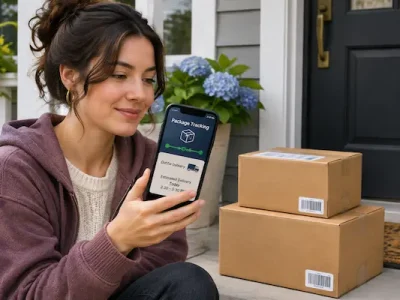
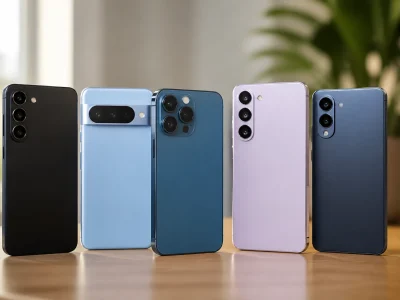
If you have seen ads for a “free Google Pixel” tied to government assistance, you are probably wondering whether it is real. The short answer is that getting a Google Pixel through Lifeline is unlikely if you expect the program to hand you a flagship phone at no cost. Lifeline is a federal discount on phone or internet service, not a device giveaway program. Still, there are legitimate ways to pair a Pixel with Lifeline service, and some of them cost little or nothing up front.
The confusion comes from how Lifeline works in practice. The Federal Communications Commission sets the rules, but private carriers run the offers. Some carriers include a free or low-cost phone with a new Lifeline plan, and those phones are often basic or budget models. Others let you keep your own phone and simply apply the discount to your bill. Which of these a provider offers, and which models it stocks, changes often.
This guide explains what Lifeline covers, what it does not, and how to use a Pixel with a Lifeline plan. It also shows how to avoid misleading offers. Because carrier inventory, eligibility details, and discount amounts can change, treat this article as a roadmap and confirm specifics with the official sources and the provider you choose.
What Lifeline Actually Provides
Lifeline is a federal program that lowers the monthly cost of phone service, internet service, or a bundle of the two for eligible low-income households. The benefit is a bill credit applied by a participating provider. The FCC sets the discount amount and it can be higher for residents of Tribal lands, so check the current figure on the official Lifeline pages instead of relying on an old number.
The key point is that the subsidy attaches to service. Lifeline rules do not require any carrier to supply a handset, and the program does not pay for a phone. When a company advertises a free smartphone with Lifeline, the company is choosing to offer the device as part of its own promotion. It may be funded by the carrier, by a manufacturer deal, or by the carrier’s expectation that you will stay a customer.
Other points to keep in mind:
- Only one Lifeline benefit is allowed per household, not per person.
- The benefit can be used for either phone or internet service, not both at once.
- Providers must verify eligibility and may require you to recertify every year to keep the benefit.
- If you do not use the service regularly, the provider may be required to remove you from the program.
Can You Get a Google Pixel Through Lifeline?
Directly, a free Google Pixel through Lifeline is rare and should not be assumed. Pixel phones are premium devices, and Lifeline carriers that include handsets generally focus on low-cost Android models. If a provider does list a Pixel, it is more often as a discounted purchase, a financing option, or a refurbished unit rather than a no-cost item tied to your eligibility.
There are three realistic paths:
- Bring your own Pixel. If you already own a compatible Pixel, you can ask a Lifeline provider to activate service on it and apply the discount to your plan.
- Buy a Pixel separately. You can purchase a new, used, or refurbished Pixel from Google, a retailer, or a secondhand seller, then activate it with a Lifeline plan.
- Choose a provider that sells Pixels. A few carriers may offer Pixel devices at a reduced price or on installments for Lifeline customers. Never assume this; ask for the full terms in writing.
The second and third paths mean you pay for the phone, even if the monthly service cost is very low. That is not necessarily a bad deal. A Pixel typically receives long software and security update support from Google, which may matter if you plan to keep one phone for several years. Check Google’s official support page for the update window of the specific model you are considering.
Who Qualifies for Lifeline
Eligibility is the first hurdle, and it is the same whether you want a basic phone or plan to use a Pixel. In general, you may qualify in one of two ways: through your household income or through participation in a qualifying assistance program.
Income-based eligibility usually means your household income is at or below a set percentage of the Federal Poverty Guidelines. Program-based eligibility commonly includes benefits such as SNAP, Medicaid, Supplemental Security Income, Federal Public Housing Assistance, or the Veterans Pension and Survivors Benefit. Residents of Tribal lands may qualify through additional Tribal programs. States can also add their own qualifying programs, so the list can differ depending on where you live.
Because the exact rules and thresholds are updated periodically, confirm them through the official Lifeline application portal, which uses the National Verifier to check your eligibility. A provider cannot override that process, and you should be cautious of any company that promises approval before verification.
How to Use a Pixel With a Lifeline Plan
If you want a Pixel and a Lifeline discount, a methodical approach saves time and money. The following steps work for most people.
- Confirm your eligibility. Gather proof of income or benefits, such as a benefits letter, a recent pay stub, or a tax return. Complete the application through the official National Verifier or through a participating provider.
- List providers in your area. Lifeline carriers vary by state. Use the official provider search tool to see which ones serve your address.
- Ask whether they support bring-your-own-device activation. Not every Lifeline provider does. Ask directly whether your specific Pixel model works on their network.
- Check device compatibility. Locate your phone’s IMEI in Settings or by dialing *#06#, then run it through the provider’s compatibility checker. Confirm the phone is unlocked or carrier-free.
- Decide between a physical SIM and an eSIM. Recent Pixels support eSIM, but some Lifeline providers only issue physical SIM cards. Ask which they use before you order.
- Review the plan terms. Look at the monthly data, talk and text allowances, and any rules about activity requirements or annual recertification.
- Activate and test. After your SIM arrives or your eSIM is issued, make a call, send a text, and test mobile data and Wi-Fi calling before you cancel any prior service.
Compatibility and Network Considerations
Many Lifeline providers are mobile virtual network operators, meaning they lease coverage from larger carriers. That affects which Pixel models work well. A phone that supports the right frequency bands, VoLTE, and 5G on one network may not offer the same features on another. Older Pixel models may also lack support for newer network requirements, so check carefully before buying a used device.
Pay special attention to these points:
- Carrier lock: A Pixel bought through another carrier may be locked. Ask the original carrier to unlock it before moving to a new plan.
- Blacklisted or financed devices: A used Pixel that is reported lost, stolen, or still under a payment plan may not activate. Ask the seller for proof and check the IMEI status.
- Coverage: Lifeline plans often rely on the underlying network’s coverage in your area. Check the provider’s coverage map and, if possible, ask neighbors which service works at your address.
- Hotspot and 5G access: Some low-cost plans limit tethering or 5G speeds, which affects how much value you get from a premium phone.
Warning Signs and Scams to Avoid
Because Lifeline is tied to a government benefit, scammers often use its name to attract applicants. A real Lifeline application will never ask for payment to qualify. Be wary of text messages, social media ads, or websites that promise a free flagship phone in exchange for personal data, an upfront “shipping fee,” or a fee for “priority approval.”
Before you share any information, make sure the company is listed as a participating provider in your state through the official Lifeline resources. Read the fine print on any phone offer. Find out whether the device is new or refurbished, whether it is locked to the carrier, whether you must stay on a plan for a set period, and what happens if you lose Lifeline eligibility. If the terms are unclear, that alone is a reason to walk away.
Also protect your documents. Provide proof of eligibility only through the official application portal or a verified provider site. Never send your Social Security number or benefits paperwork by text or through an unfamiliar link.
Smart Alternatives if You Want a Pixel on a Budget
If a Lifeline carrier does not offer the Pixel model you want, you still have ways to keep costs down. Consider a refurbished Pixel from a reputable seller that offers a warranty and a return window. Google and major retailers sometimes run trade-in credits or seasonal discounts, though these change frequently, so verify the details before you buy. A mid-range Pixel often costs far less than a flagship while delivering the same camera software and update support.
You can also look at other assistance. Some states, cities, libraries, and nonprofits run device or internet programs for low-income residents. The federal Affordable Connectivity Program, which once offered a discount on internet service and a small device benefit, stopped accepting new support after its funding ran out, so do not rely on older articles that describe it as active. Check current official sources for any replacement programs.
Final Thoughts on Getting a Pixel Through Lifeline
So, can you get a Google Pixel through Lifeline? Usually not as a free handset, because Lifeline discounts service rather than devices. But you can often use a Pixel you already own, or one you buy yourself, on a Lifeline plan and still receive the monthly benefit. In rare cases a provider may sell Pixels at a discount, though you should read the terms closely.
The best strategy is to verify your eligibility first, then compare providers based on coverage, compatibility, and total cost. Ask each company whether it supports bring-your-own-device activation, whether it accepts eSIM, and which Pixel models it supports. Keep your IMEI handy and make sure your phone is unlocked.
Before you commit, confirm every detail with the official Lifeline resources and your chosen provider, since offers, discount amounts, and rules can change. A careful, informed approach will help you get reliable service and avoid scams, even if the phone itself is something you pay for.