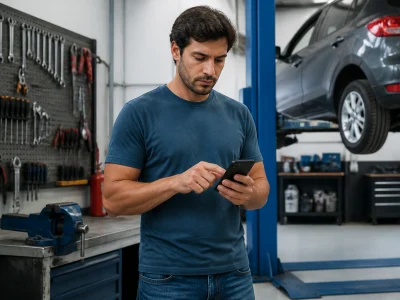
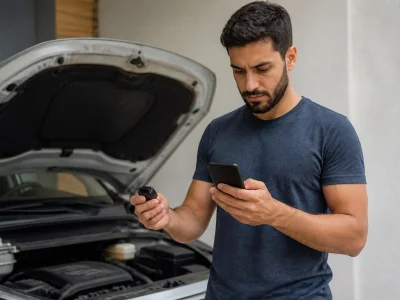
Auto repair estimate apps build a price range by calculating parts and labor costs.
Pay, requirements, and availability change depending on employer, state, and season. For instance, in California, labor costs might range from $100 to $150 per hour, while in Texas, it might be slightly lower, around $80 to $120. Seasonal changes also play a role; prices can increase during peak winter months due to higher demand for repair services.
Use the same checklist for every option before visiting an official page. This ensures consistency in evaluating the benefits and limitations of each app, helping you choose the most suitable one for your specific needs.
Auto repair estimate apps: quick comparison and who each option fits
Comparing auto repair estimate apps reveals differences in parts and labor coverage, regional accuracy, and shop networks. For example, some apps like RepairPal provide not only estimates but also customer reviews and ratings for local shops, enhancing the decision-making process. Other apps, such as DIY car repair tools, are ideal for those who prefer handling minor repairs themselves, offering guides and video tutorials. While some apps offer extensive networks of partnered repair shops, others may have limitations based on region. Knowing which app fits your needs can save time and money, especially for someone like Alex, who wants to avoid hidden fees and ensure fair pricing.
| App Name | Coverage | Shop Network | Regional Accuracy |
|---|---|---|---|
| EstimateMaster | Parts and labor | National | High |
| RepairCalc Pro | Labor only | Regional | Medium |
| DIY FixIt | Parts only | Limited | Low |
Check the official repair guidance
What changes when you bring a number to the shop
Bringing a repair estimate to the shop changes your negotiation power. Instead of accepting the first price you hear, an estimate allows you to compare offers and ask specific questions about parts and labor. For instance, if an app estimates $200 for labor but the shop quotes $300, you can inquire why. This could be due to a variety of factors such as higher labor rates in urban areas or the use of premium parts. However, remember that estimates aren’t guarantees. They give you leverage but do not promise savings. The Mechanic Repair App can help you understand these dynamics better, offering features to track and compare estimates effectively.
⚠️ Attention: A repair estimate isn’t a fixed price. Always confirm details with the shop, especially for complex repairs that might require additional labor.
Limits, fees and your rights to check
An estimate should legally include details about parts, labor, and any additional fees. Written authorizations are often required for repairs over a certain amount, typically around $250, depending on state laws. Diagnostic fees, which can range from $50 to $150, are generally non-refundable but should be disclosed upfront. Local labor rates can significantly influence the estimate range. For instance, in New York, labor rates might be higher due to the cost of living. According to the Federal Trade Commission, it’s vital to know these rights to avoid unexpected charges. Understanding these nuances can save you from potential disputes with repair shops.
⚠️ Caution: Always get a written estimate before authorizing repairs. Check for hidden fees, such as disposal fees or shop supplies, which can add up quickly.
How to use a repair estimate step by step
1Read the diagnostic code first
Understand the issue before pulling an estimate. Use code readers available at auto parts stores. These devices are usually priced between $20 and $50, and many stores offer free diagnostic services if you plan to purchase parts from them.
2Pull an estimate range
Use an app to calculate potential costs. Consider both parts and labor. For example, a brake pad replacement might be estimated at $150 to $250 depending on the vehicle model and brand of parts.
3Ask two shops for a written estimate
Get quotes from multiple places. Compare them to ensure accuracy and fairness. Some shops might offer promotions or discounts for new customers, so ask about any available deals.
4Compare parts and labor lines
Review the estimates to see where they differ. Be clear about what each line item covers. This is crucial when comparing branded parts versus generic options, which can significantly impact the cost.
5Authorize only the approved items in writing
Sign off only on the work you agree to. This prevents unexpected charges. Ensure that the authorization includes a clause about notifying you if additional repairs are needed.
6Keep the invoice and the old parts
This is crucial for future claims or disputes. It serves as proof of work and parts used. In some cases, returned old parts can be recycled or may have a core charge that can be refunded.
Common mistakes and safety checks
Verify the employer or platform identity, the official domain, current terms, customer support, and the secure application or download path. Many users overlook the importance of downloading apps from official sources, leading to security risks. For example, an app downloaded from an unofficial source might not have the latest security updates, making your personal information vulnerable. Check with the Federal Trade Commission for guidance on avoiding scams. It’s also wise to read reviews and ratings from other users to gauge the app’s reliability.
✅ Tip: Always download apps from the official Apple App Store or Google Play. This ensures you receive updates directly from the developers.
🚫 Caution: Be wary of apps that ask for excessive permissions or personal data. Permissions like access to contacts or location might be unnecessary for a repair estimate app.
Frequently asked questions about auto repair estimate apps
How accurate are repair estimate apps?
They provide a range based on parts and labor, but factors like local rates can affect accuracy. For example, an estimate might be off by 10% to 20% due to fluctuating part prices or unexpected labor requirements.
Does a shop have to give me a written estimate?
Yes, for repairs over a certain amount. Always ask for it upfront. This protects you from sudden price changes and ensures clarity in the services you are receiving.
Can a shop charge more than the estimate?
Yes, if additional issues are found, but they must notify you first. It’s essential to have a clear communication line with the shop to authorize any extra work before it starts.
Should I pay a diagnostic fee?
Diagnostic fees are common and should be disclosed before the inspection. These fees cover the technician’s time and expertise in identifying the problem, typically ranging from $80 to $100.
How much can you save using these apps?
Using auto repair estimate apps can lead to significant savings, often ranging from 10% to 30% compared to traditional methods. For instance, by comparing estimates from different shops using an app, you might find a shop that offers the same service for $200 less. Additionally, these apps help in avoiding unnecessary repairs suggested by some mechanics, saving costs that could run into hundreds of dollars annually. Over time, being an informed consumer with the help of these apps can lead to smarter financial decisions regarding car maintenance.
Choose your next step with confidence
By now, you should feel confident using the checklist to select the best auto repair estimate app for your needs. Verify each app’s coverage, shop network, and terms before downloading. Remember to always get a written estimate and check the official guidance for repairs. This ensures you’re prepared and informed, reducing the risk of unexpected charges. Taking these steps not only safeguards your finances but also enhances your overall experience with car repairs.
Check the official repair guidance
This content is independent and not affiliated with the companies mentioned. Always confirm terms on official channels.