Lifeline free phones – Available iPhone and Samsung models
Discover Lifeline free phones models in 2026, compare iPhone and Samsung options, BYOP tips, and avoid common scams.
Advertisements
Lifeline free phones: the simple truth about what you’re getting
If you want the clearest explanation in one sentence, it’s this.
Advertisements
Lifeline is a discount benefit, and “free phones” are provider promotions that can change by ZIP code and inventory.
That’s why one company might advertise a basic Android device at no cost, while another shows a refurbished iPhone as a limited offer, and both can still be associated with Lifeline service.
It’s also why you’ll see people online claiming totally different results, even when they live in the same state.
Promotions move fast, inventory moves faster, and eligibility rules are separate from device marketing.
Once you separate “benefit eligibility” from “device promotions,” you stop feeling confused and start making smarter comparisons.
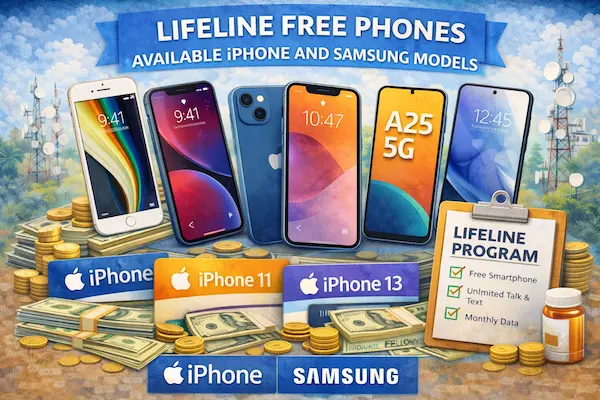
Lifeline free phones and name-brand devices: what iPhone and Samsung offers usually mean
If you’re specifically hunting for an iPhone or a Samsung, you’ll usually see offers fall into three practical buckets.
First, there are basic smartphones that are truly free with qualifying service, typically meant for calling, texting, and light app use.
Second, there are refurbished older flagship phones, which may be free in limited promotions, but are more commonly tied to availability and eligibility filters.
Third, there are paid upgrades, where you pay something upfront, but the price is discounted compared to retail.
The point is not that any one bucket is “bad.”
The point is that you should pick the bucket that matches how you use your phone in real life.
Providers that often advertise iPhone or Samsung options
If you’re looking for “name-brand” phones, these providers are commonly mentioned in Lifeline-related promotions for stocking older iPhones or Samsung devices at times.
Availability changes frequently, and the specific model offered can differ by state and ZIP code, so treat this as a starting list for comparison, not a guaranteed menu.
-
- Cintex Wireless, often associated with refurbished iPhone promotions and occasional Samsung listings depending on availability.
- TAG Mobile, sometimes advertised with older iPhones and select Samsung Android models in certain areas.
- AirTalk Wireless, frequently marketed for refurbished device options and upgrade paths.
- SafeLink Wireless, commonly offering Samsung Galaxy A-series devices and BYOP-friendly paths depending on location.
The biggest detail you should keep in mind is this.
Stock changes daily, and many “high-end” free phones are refurbished.
Refurbished typically means previously used, tested, cleaned, repaired if needed, and resold or redistributed under a promotional program.
That can be perfectly fine if you go in with realistic expectations and verify what you’ll receive before you finalize enrollment.
Lifeline free phones: what to expect if you don’t choose a specific model
If you don’t select a specific promotional model, many providers will ship what they describe as a “basic smartphone.”
That usually means a lower-cost Android device designed to meet core requirements like calls, texts, and data usage on 4G LTE or 5G, depending on the network.
These phones often have limited storage, and that’s the part most people notice first.
If your phone fills up quickly, it’s usually because of storage and memory constraints, not because you did something wrong.
Common traits you may see in basic phones include smaller storage sizes, simpler cameras, and fewer performance features than premium devices.
If you mainly need calling, texting, rideshare apps, email, and basic browsing, a basic phone can be enough.
If you rely on heavy apps, video calls, remote work tools, or lots of photos, you’ll usually be happier with BYOP or a carefully chosen upgrade.
Lifeline free phones BYOP: why bringing your own phone is often the smartest “upgrade”
BYOP means Bring Your Own Phone, and it can be your best move if you already own a decent device.
Instead of rolling the dice on what model a provider ships, you keep the phone you already trust and simply activate service with a Lifeline provider that supports it.
This is especially useful if you’ve had bad experiences with low-storage phones, slow performance, or unpredictable refurbished quality.
You also avoid the emotional whiplash of thinking you’re getting a high-end phone and then receiving a basic model because the promotion changed overnight.
Another bonus is that some providers offer BYOP perks, like a free SIM card and a one-time data bonus, depending on current promotions and your location.
BYOP checklist that prevents most activation problems
-
- Confirm your phone is unlocked, meaning it isn’t tied to a single carrier.
- Verify network compatibility, because coverage and bands vary across providers and areas.
- Check if your phone supports VoLTE, because modern networks rely on it for calling.
- Ask about hotspot rules, if you depend on sharing data to another device.
- Save your activation details, including confirmation numbers and emails, for support later.
If you’re helping someone else enroll, like a parent or a grandparent, BYOP can reduce confusion dramatically.
They keep their familiar phone, their contacts stay intact, and the only change is the service plan behind the scenes.
Lifeline free phones eligibility in 2026: the two ways you qualify
To qualify for Lifeline, you typically qualify in one of two ways: by program participation or by income.
Program-based qualification usually means you or someone in your household participates in certain assistance programs, which can include common ones like SNAP, Medicaid, or SSI, depending on your state and verification process.
Income-based qualification generally means your household income is at or below a percentage of the Federal Poverty Guidelines, and the exact rules depend on how the program is administered in your state.
The important point is that you don’t need to qualify in both ways.
You need one valid pathway, plus the required proof.
If you’re unsure which path is easiest for you, use whichever one you can document most clearly right now.
Lifeline free phones rules: the two policies that surprise people the most
Two rules catch people off guard, and both can lead to losing the benefit if you ignore them.
The first is the one per household rule.
It’s not “one per person,” and it’s not always “one per address.”
It’s one Lifeline discount per economic household, usually defined by people who share income and household expenses.
If you live with roommates and truly keep finances separate, you may need to document that separation through the program’s household process.
The second is the use it or lose it rule.
If your service is free, you typically must use it at least once within a set period, often every 30 days, to keep it active.
Using it can be as simple as a call, a text, or data usage, depending on the service type.
If you’re setting up service for someone who barely uses a phone, set a monthly reminder so they don’t get dropped unexpectedly.
Quick reminder: Lifeline isn’t “free forever with no activity.”
Use the service periodically so the account stays active.
Lifeline free phones scams in 2026: why “Free iPhone 15/16” should trigger your alarm
If you see ads promising a brand-new, current-generation iPhone for free “from the government,” you should slow down immediately.
That claim is one of the most common bait tactics used to collect personal information and push you into questionable sign-up funnels.
A legitimate Lifeline path is centered on eligibility verification and approved provider enrollment, not on flashy device promises that skip the rules.
Also, be careful if a site demands a large “shipping fee,” especially through unusual payment methods, or pressures you with countdown timers and “limited slots.”
If a deal is real, it can be explained clearly, verified through official eligibility steps, and confirmed by whether the provider actually serves your ZIP code.
If it can’t be verified, you don’t owe it your ID, your documents, or your time.
Scam red flags you should treat as “stop now” signs
-
- The ad guarantees a “Free iPhone 15/16” without checking eligibility.
- The website won’t clearly show the provider name, plan terms, or service area rules.
- You’re pushed to pay first, especially with nonstandard payment methods.
- You’re asked for excessive sensitive information that doesn’t match normal eligibility verification.
- The offer can’t be confirmed through official eligibility and provider availability steps.
You’re not being difficult when you verify first.
You’re protecting your identity and your household’s benefits, and that matters more than any phone promotion.
Lifeline free phones: how to check local inventory for iPhone and Samsung models
If you want the cleanest path, you’ll do it in the right order.
First you confirm you qualify through the official eligibility process used for Lifeline verification.
Then you check which providers are approved and available in your area.
Only after that do you compare device inventory by ZIP code, because inventory is often local and changes fast.
Many providers show device availability only after you enter your ZIP code or start an application flow.
That can feel annoying, but it’s also a safety filter, because it reduces false advertising across regions where a provider doesn’t operate.
Lifeline free phones step-by-step: the least frustrating way to apply
If you want fewer headaches, follow this sequence exactly.
It keeps you from sending documents multiple times and helps you avoid offers that don’t exist in your area.
-
- Confirm eligibility first using the official Lifeline verification pathway for your state.
- Find providers in your ZIP code using an official provider availability tool.
- Compare plan details that matter like data amount, throttling, hotspot rules, and coverage where you actually live.
- Choose device promo vs BYOP based on your needs, not on hype.
- Keep your service active by using it periodically so you don’t get de-enrolled.
If you do those steps in that order, you’ll avoid most “I applied three times and still don’t know what’s happening” situations.
You’ll also avoid the biggest trap of all: choosing a provider for a phone you never actually receive, instead of choosing a provider for service you can rely on.
FAQ
Are Lifeline free phones really free from the government?
Lifeline is a government-supported discount benefit, but “free phone” offers are typically provider promotions and can vary by ZIP code and inventory.
So the benefit is real, but the specific phone model is not guaranteed for everyone.
Can you really get an iPhone through Lifeline?
Sometimes you may see older iPhone models offered free or low-cost, often refurbished, depending on the provider and your location.
In many cases, iPhones are listed as discounted upgrades rather than truly free devices, and stock can change quickly.
What Samsung models are most common with Lifeline free phones?
Samsung A-series devices are commonly offered because they balance affordability and basic performance.
Older flagship models may appear sometimes as limited refurbished promos, but you should verify availability by ZIP code.
How do you confirm which models are available in your area?
Qualify first, then check which Lifeline providers operate in your ZIP code, and only then review that provider’s live device listings for your location.
This prevents you from applying based on an offer that isn’t available where you live.
How do you avoid “Free iPhone 15/16” scams?
Use official eligibility steps first, verify providers by ZIP code through official tools, and avoid any site that demands unusual payments or excessive personal information.
If it can’t be verified through official pathways, treat it as unsafe.
Reminder: This article is independent and informational.
We do not control eligibility decisions, provider availability, inventory, pricing, plan terms, verification outcomes, or enforcement for any third party mentioned.