DMV practice test: best free apps
If you want to pass your written test in 2026 without wasting weeks, you need a DMV practice test app that matches your state and your license type.
Advertisements
In this guide, you’ll see the best free options, what each one is best at, and exactly how to download and start using them today.
Advertisements
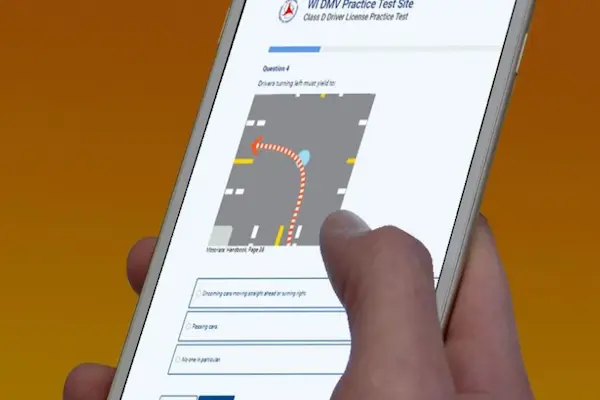
Independent content notice: This article is informational and independent, and we have no affiliation, sponsorship, or control over the DMV, any state agency, or any app mentioned.
DMV practice test app #1: DMV Genie (Permit Test 2026)
If your priority is a DMV practice test that feels close to the real exam and stays state-specific, DMV Genie is one of the most established picks for 2026.
It’s built around state driver manuals and supports Class D (Standard License), CDL (Commercial License), and Class M (Motorcycle) study paths.
Real-world feedback you’ll notice quickly
On Google Play, DMV Genie is listed with a 4.7★ rating and 166,000+ reviews, which is a strong signal of consistency over time.
Even so, your experience can vary by state, because some DMVs emphasize different rule details and signage questions.
Features that make DMV Genie worth trying first
- You can study for car, motorcycle, and commercial driver’s license exams inside the same ecosystem.
- You get state-specific question sets designed to align with your official manual.
- You can use it as a true dmv mock test option when you want exam-style sessions.
- It’s commonly used as a dmv prep test tool for quick daily practice and review.
Step-by-step: download and start your first DMV practice exam
- Pick your platform using the download links below.
- Open the app and select your state, so your driving licence information matches the manual you’ll be tested on.
- Choose your license track, such as Class D, CDL, or Class M.
- Take one short permit practice test to find your weak topics.
- Switch to focused practice, then return to a full dmv practice exam once you’re consistent.
Download DMV Genie (Android and iOS)
DMV practice test app #2: Aceable (Drivers Ed & Test Prep)
If you want your DMV practice test experience to feel less like reading a booklet and more like guided learning, Aceable is designed for that.
It combines drivers ed style instruction with practice tests, and it clearly states it does not represent a government entity.
Real-world vibe: what people tend to like
Aceable is built around engagement, using interactive lessons and a more modern style than traditional study guides.
If you’re searching for “drivers ed near me” but you actually want something you can do on your phone, this format can feel more approachable.
Standout functionalities for permit exam practice
- You can access unlimited practice tests and simulated exams for ongoing repetition.
- You get a “learn anywhere” experience, which helps when your schedule is busy.
- It’s positioned to help with permit test practice test routines, especially when you study in small daily blocks.
Step-by-step: how to start fast without overthinking
- Install the app from your store link below.
- Choose your state so the questions fit your DMV’s wording and topic emphasis.
- Begin with a short permit exam practice quiz to see your baseline.
- Save missed questions and redo them until your accuracy is stable.
- When you’re close to test day, run full dmv test practice test sessions back-to-back.
Download Aceable (Android and iOS)
- Android: Google Play – Aceable Drivers Ed & Test Prep
- iOS: App Store – Aceable Drivers Ed & Test Prep
DMV practice test app #3: DriversEd.com (Teen & Adult Drivers Ed Online)
If you want an all-in-one path from learning basics to practicing questions, DriversEd.com positions its app as a mobile option for permit prep and driver education.
DriversEd.com also describes the app as available on iOS and Android, and frames it as a flexible way to study and practice.
Real-world expectations before you download
You’ll often find that practice tests are easy to start, but full course access may depend on what’s offered in your state and what you purchase.
That’s normal with drivers ed platforms, and it’s why you should always confirm your state requirements directly with your DMV website.
Useful features for steady daily progress
- It’s designed for learning on-the-go, which helps if you’re balancing school, work, or family.
- It’s positioned as a “from permit to drivers license” style path in certain state offerings.
- It can fit naturally into a “one practice set per day” routine for your drive test preparation.
Step-by-step: start using it like a smart checklist
- Download the app using the links below.
- Select your state and confirm what’s included for your age group and license goal.
- Run one baseline quiz and note your weakest chapters, like signs, right-of-way, or parking rules.
- Do focused practice in short sessions, then take a full practice test each weekend.
- Two days before your test, prioritize missed topics over random quizzes for a fast driving test readiness boost.
Download DriversEd.com (Android and iOS)
- Android: Google Play – Teen & Adult Drivers Ed Online
- iOS: App Store – Teen & Adult Drivers Ed Online
How to choose a DMV practice test app by license type
The easiest way to choose is to match the app to your goal, because Class D, CDL, and Class M have different knowledge priorities.
When you pick the right track, your DMV practice test sessions stop feeling random and start feeling targeted.
| License goal | What to prioritize | What “good prep” looks like |
|---|---|---|
| Class D (Standard License) | Road signs, right-of-way, speed rules, parking, safe following distance | Consistent passing scores on full-length practice exams |
| CDL (Commercial License) | Vehicle inspection concepts, safety procedures, commercial rules, endorsements if needed | High accuracy in commercial-focused question sets, then full mixed exams |
| Class M (Motorcycle) | Rider safety, lane positioning, hazard scanning, braking and turning basics | Low error rate on hazard and scenario questions, not only signs |
A simple 7-day plan using DMV practice tests
If you want a realistic plan, do one small session daily and one full test every two or three days.
This keeps you progressing without burning out or relying on last-minute cramming.
- Day 1: Take a baseline dmv mock test and list your worst three topics.
- Day 2: Practice those three topics only, then redo missed questions.
- Day 3: Run a full dmv practice exam and review every incorrect answer.
- Day 4: Drill road signs and right-of-way until you’re consistently accurate.
- Day 5: Do a mixed permit test practice test session, then focus on weak chapters.
- Day 6: Full test simulation, with no distractions, timed if the app supports it.
- Day 7: Light review only, then sleep early so your recall is sharp.
Keywords you might be searching, and what they really mean
When you type things like “drivers license check” or “drivers license verification,” you’re usually trying to confirm status, renewals, or eligibility.
Apps that offer study help are not the same as official services like a DL check, a MVA driving record request, or tools to reinstate drivers license online.
For those official actions, you should use your state’s official DMV or equivalent agency site, because third-party apps cannot control or guarantee outcomes.
- If you’re preparing for the written exam, you want permit practice test and dmv prep test features.
- If you’re thinking about “car test drive,” you’re usually mixing up dealership driving with the state road test.
- If your goal is “to become an Uber driver,” you should separately verify rideshare requirements and background check policies on the company’s official pages.
- If you searched “Spanish Driving Licence,” you may want Spanish-language study options, but you still need to follow your state DMV’s testing rules.
- If you saw something like “Ade 1317” in a keyword list, treat it as a reference code or unrelated query and double-check context before acting on it.
Quick checklist before you walk into the DMV
You don’t need perfection, but you do need predictability, so you’re not surprised by the format.
- You’re passing full practice tests multiple times in a row, not just once.
- You can explain why an answer is correct, not only memorize it.
- You reviewed signs, right-of-way, and safety rules the day before.
- You confirmed whether your DMV requires a license eye test, an eye test for driving, or a driving vision test at the appointment.
- You know where to find official guidance if you need “driving licence information” for your exact state.
Use apps, but trust official rules for final confirmation
The best free app is the one you’ll actually use daily, because repetition beats “one perfect study session” every time.
Pick one primary app, add a second one only if you feel stuck, and always confirm edge cases with your state DMV.
Once you’re scoring consistently, your test day becomes less about luck and more about routine.